
pandas.Series.hist#
- Series.hist(
- by=None,
- ax=None,
- grid=True,
- xlabelsize=None,
- xrot=None,
- ylabelsize=None,
- yrot=None,
- figsize=None,
- bins=10,
- backend=None,
- legend=False,
- **kwargs,
Draw histogram of the input series using matplotlib.
The histogram is computed over the fixed or variable width bins, and drawn using the matplotlib library. This is useful for visualizing the distribution of the data.
- Parameters:
- byobject, optional
If passed, then used to form histograms for separate groups.
- axmatplotlib axis object
If not passed, uses gca().
- gridbool, default True
Whether to show axis grid lines.
- xlabelsizeint, default None
If specified changes the x-axis label size.
- xrotfloat, default None
Rotation of x axis labels.
- ylabelsizeint, default None
If specified changes the y-axis label size.
- yrotfloat, default None
Rotation of y axis labels.
- figsizetuple, default None
Figure size in inches by default.
- binsint or sequence, default 10
Number of histogram bins to be used. If an integer is given, bins + 1 bin edges are calculated and returned. If bins is a sequence, gives bin edges, including left edge of first bin and right edge of last bin. In this case, bins is returned unmodified.
- backendstr, default None
Backend to use instead of the backend specified in the option
plotting.backend. For instance, ‘matplotlib’. Alternatively, to specify theplotting.backendfor the whole session, setpd.options.plotting.backend.- legendbool, default False
Whether to show the legend.
- **kwargs
To be passed to the actual plotting function.
- Returns:
- matplotlib.axes.Axes
A histogram plot.
See also
matplotlib.axes.Axes.histPlot a histogram using matplotlib.
Examples
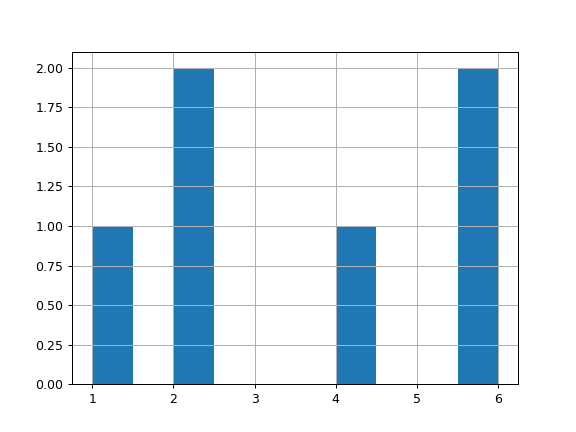
For Series:
>>> lst = ["a", "a", "a", "b", "b", "b"]
>>> ser = pd.Series([1, 2, 2, 4, 6, 6], index=lst)
>>> hist = ser.hist()
For Groupby:
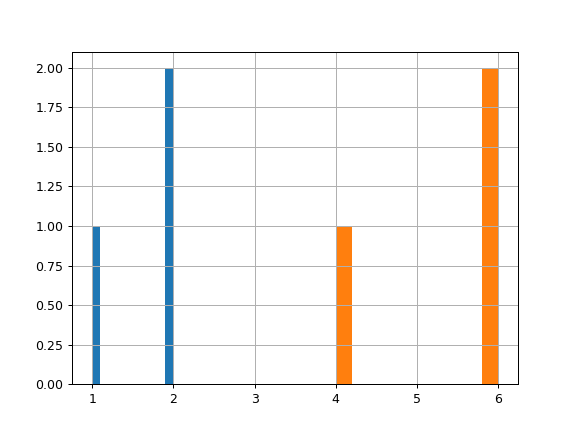
>>> lst = ["a", "a", "a", "b", "b", "b"]
>>> ser = pd.Series([1, 2, 2, 4, 6, 6], index=lst)
>>> hist = ser.groupby(level=0).hist()